
Answer from the freight record.
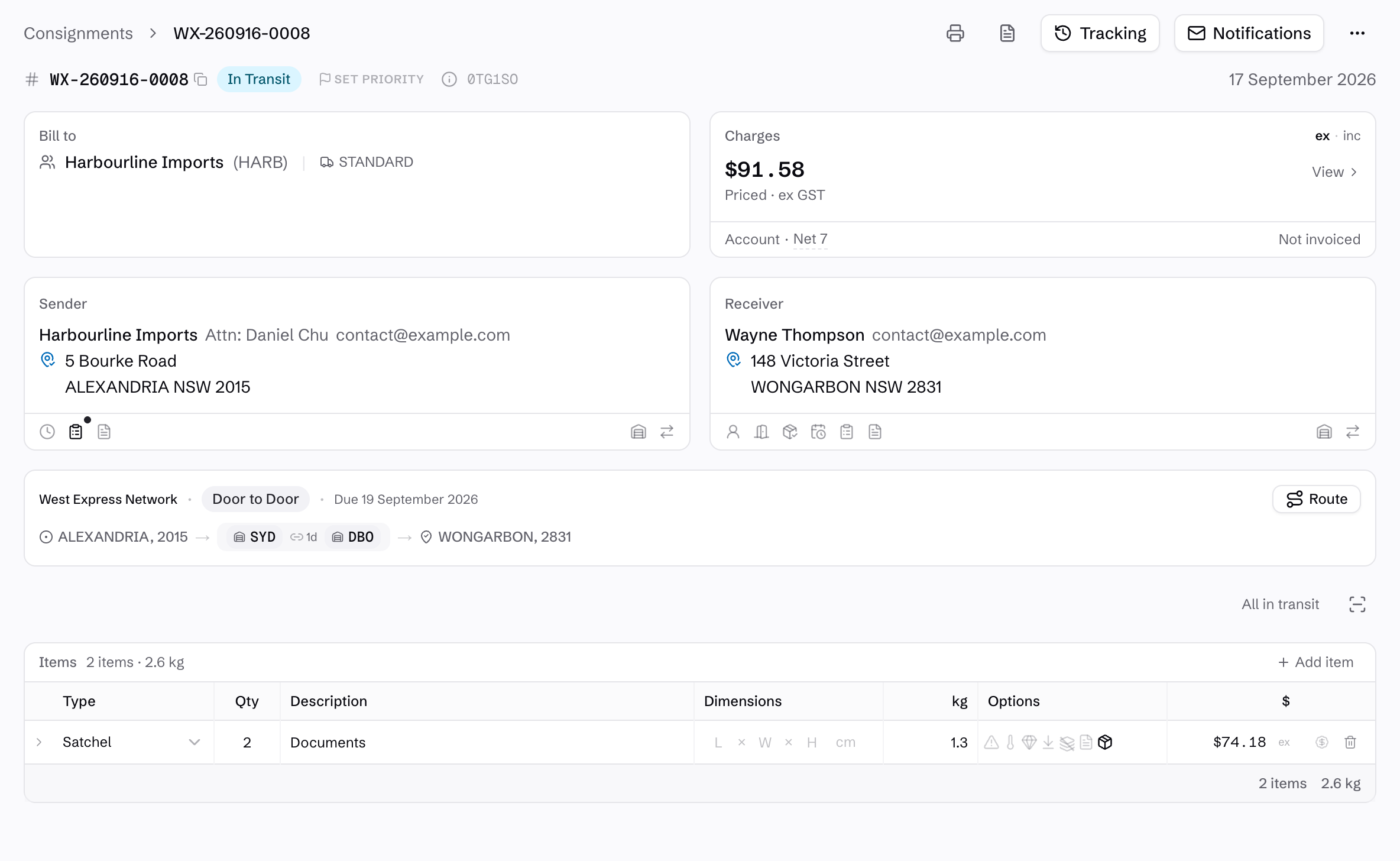
Keep the sender, receiver, service, item count and weight with the route and charges. Open tracking or proof of delivery from the same record when a customer asks where their freight is up to.
Labels and a consignment note are available from the saved booking. Each freight item has its own barcode for scanning as it moves.
See what makes up the price.
Charges calculate from the customer's configured rates. Review the freight components, fuel levy and applicable surcharges before creating the consignment, or return to the breakdown from the saved record.
Freight, fuel and surcharges stay separate, so your team can explain the price without rebuilding the calculation.
Explore rate cards and pricing rules →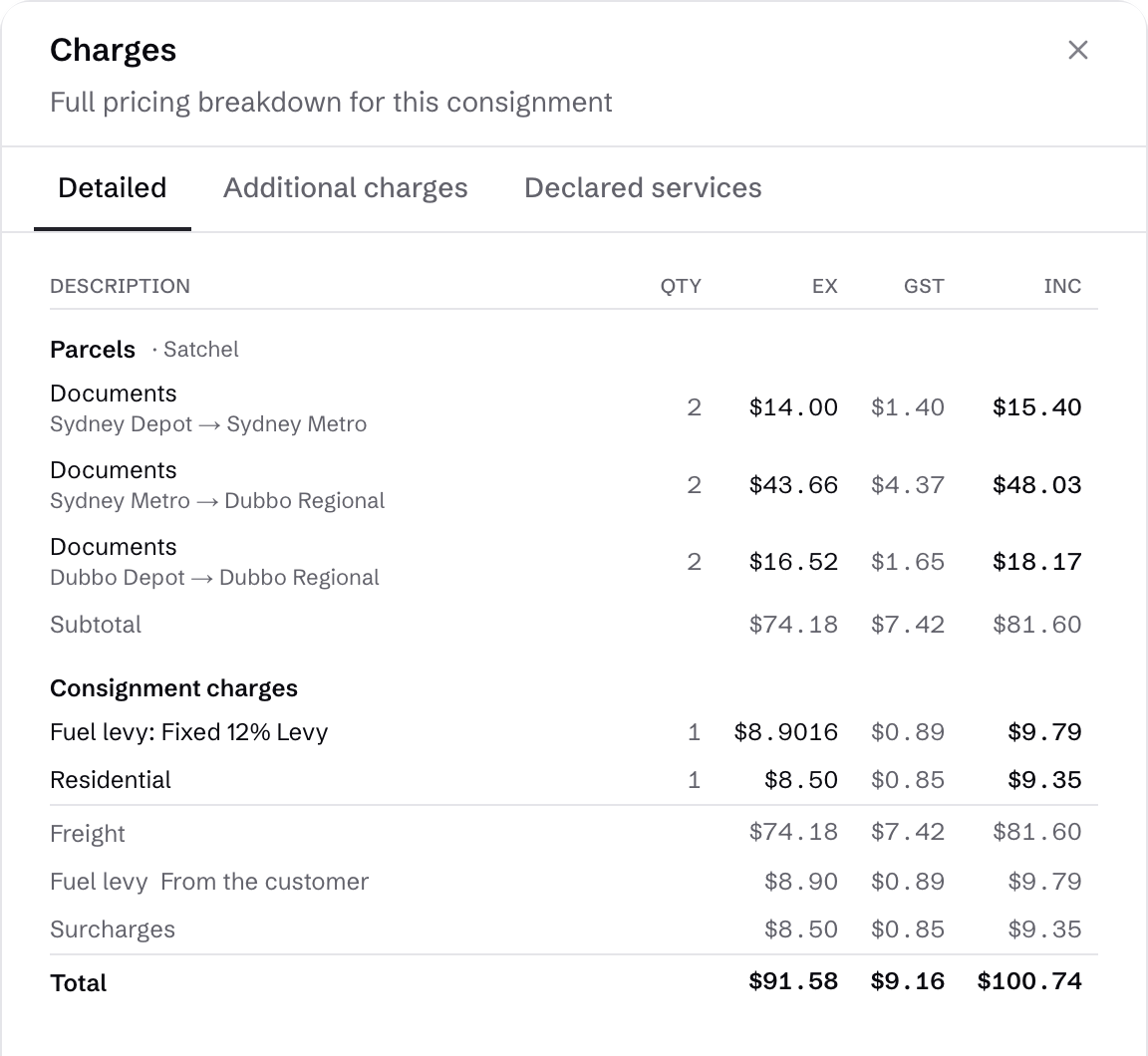
Catch missing detail before booking.
A pallet needs an actual weight, even when its dimensions give you a cubic weight. The form highlights the missing detail and stops the booking until it is supplied.
Your team can correct the detail in the booking, before the freight reaches dispatch.

Keep the same record through the job.
Dispatch works from the consignment, field scans add its movement history, and eligible charges join the customer's billing window. The office can return to the freight detail from an invoice.