
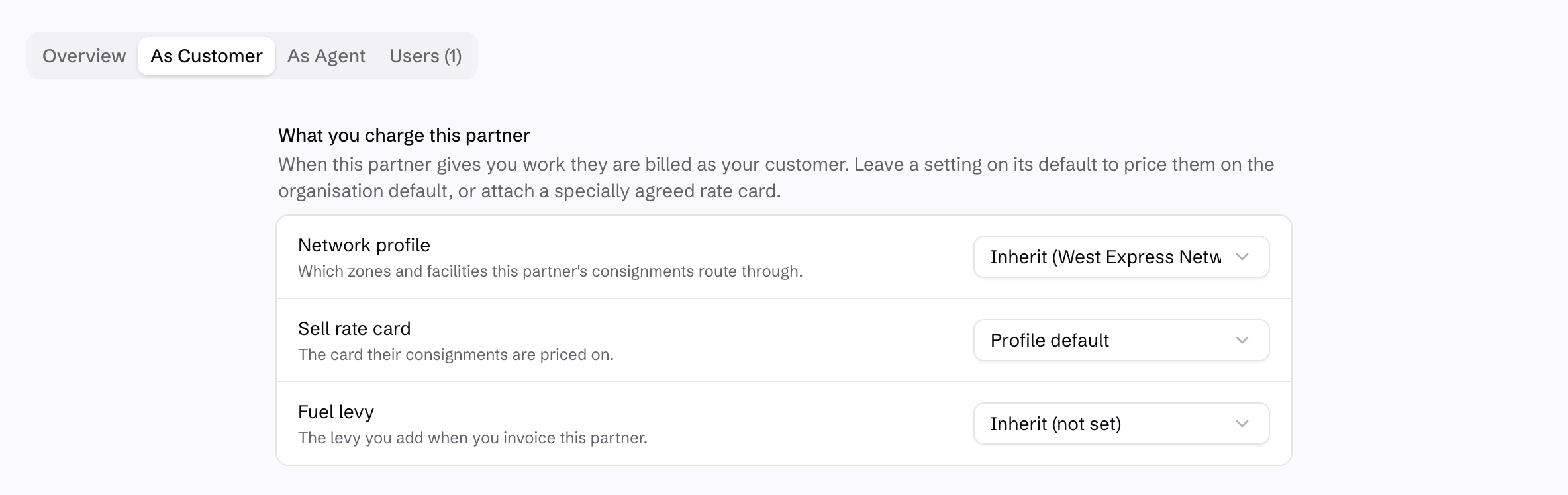
When they give you freight, they’re your customer.
Use As Customer to set the network profile, sell rate card and fuel levy that apply to their bookings. Follow your defaults or use the rates you’ve agreed with that partner.
Their invoicing terms sit with the same relationship. Keep the price you charge separate from the price you pay them for other work.
When they carry your freight, they’re your agent.
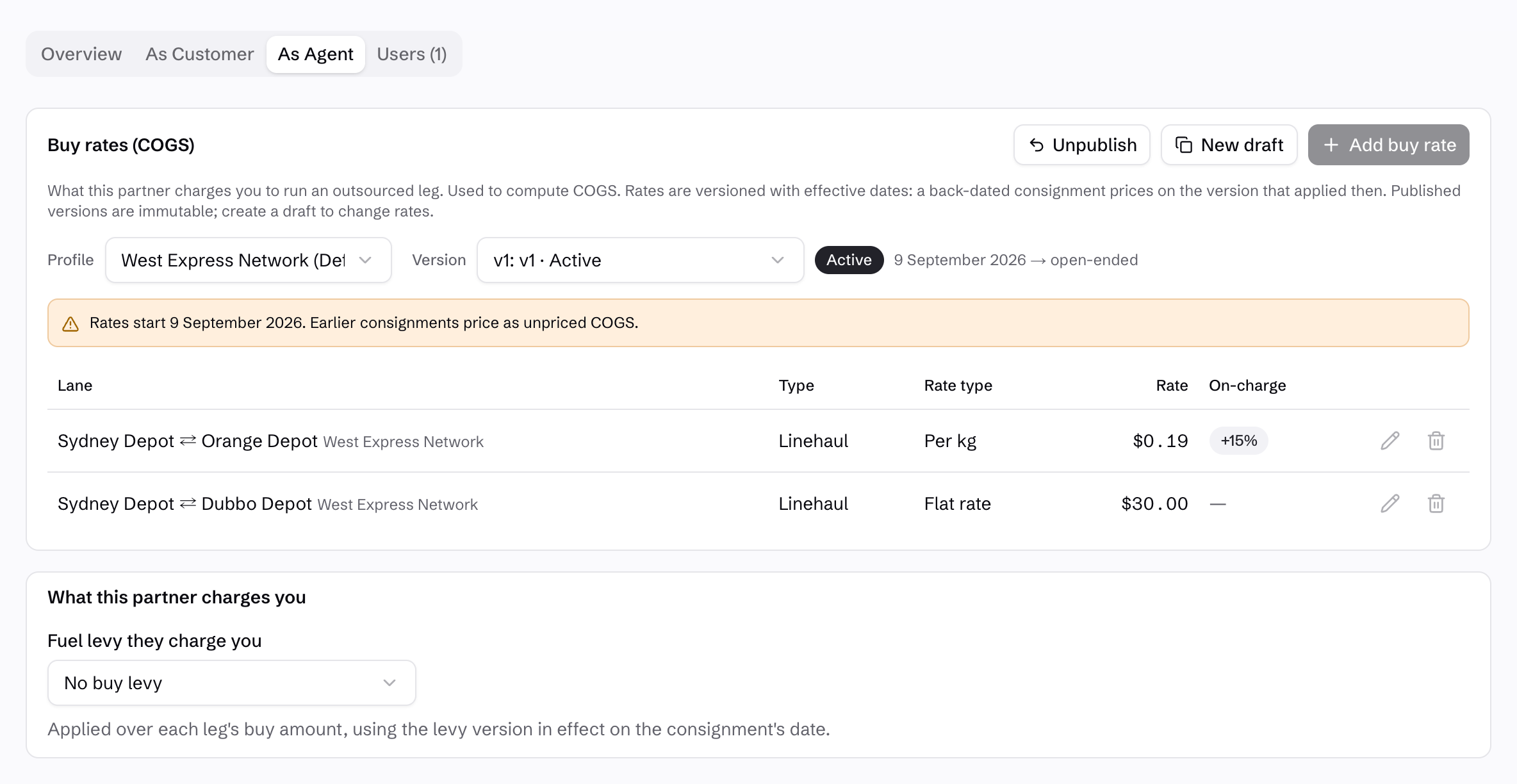
Use As Agent for the buy rates on outsourced legs. Price by lane and rate type, with the partner’s fuel levy kept separate. Configure an on-charge with a markup where it belongs in the customer price.
Here, Sydney–Orange uses a per-kilogram buy rate with a 15% on-charge markup. Sydney–Dubbo uses a flat buy rate without an on-charge.
Keep agreed rates under control.
Published buy-rate versions are fixed. Create a draft for changes and set an effective date, so a back-dated job uses the version that applied then.
Check customer charges alongside the selected partner’s costs. Costs still affect your margin when they are not passed on. Review both sides to spot a pricing mismatch.
See network and pricing rules →Walk through your partner work →