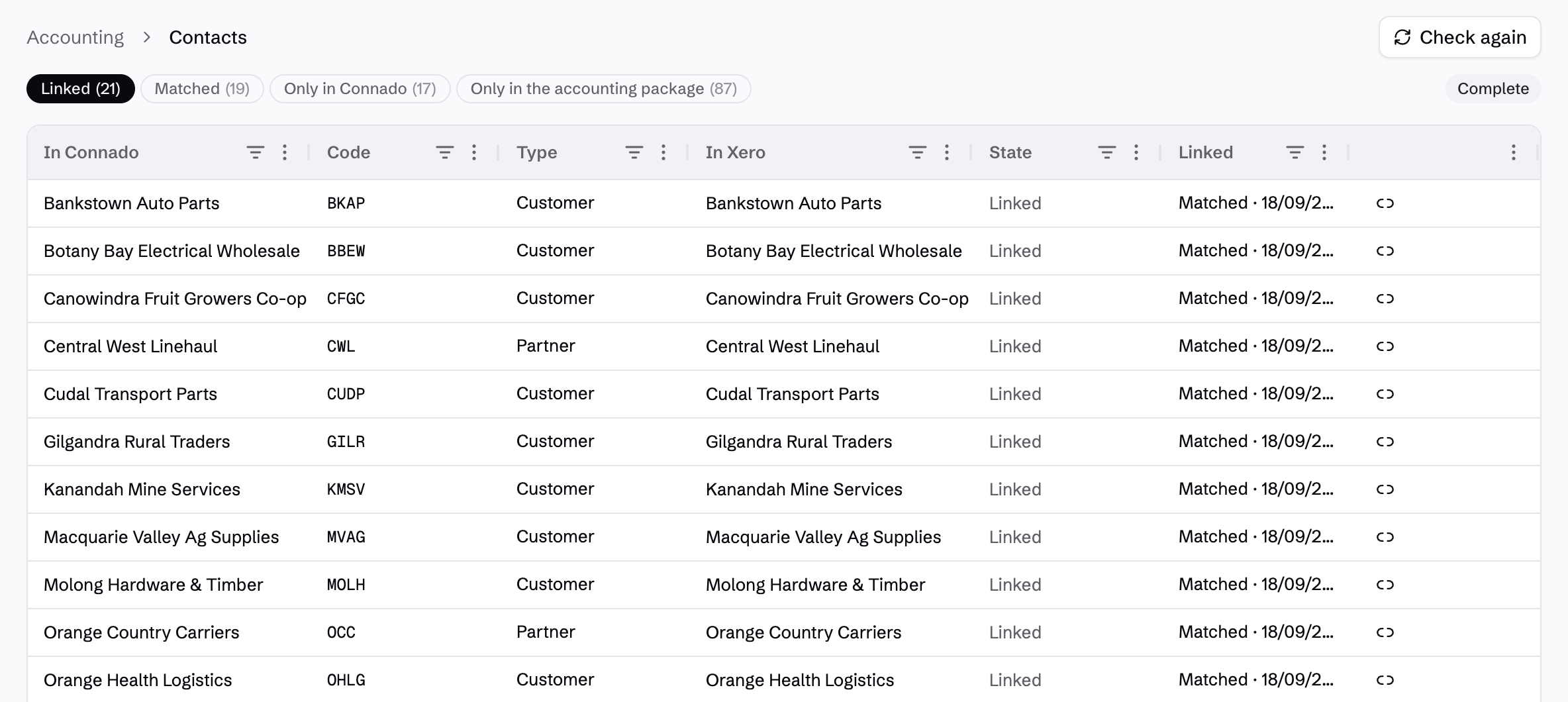
Review before you release.
Eligible consignments join the customer's billing window. Close it for review, including an early close when needed. Check the charges and release the invoice to assign its number and due date.
After release, a credit note is required to change the invoice. Billing windows, eligibility and payment terms depend on your customer setup.
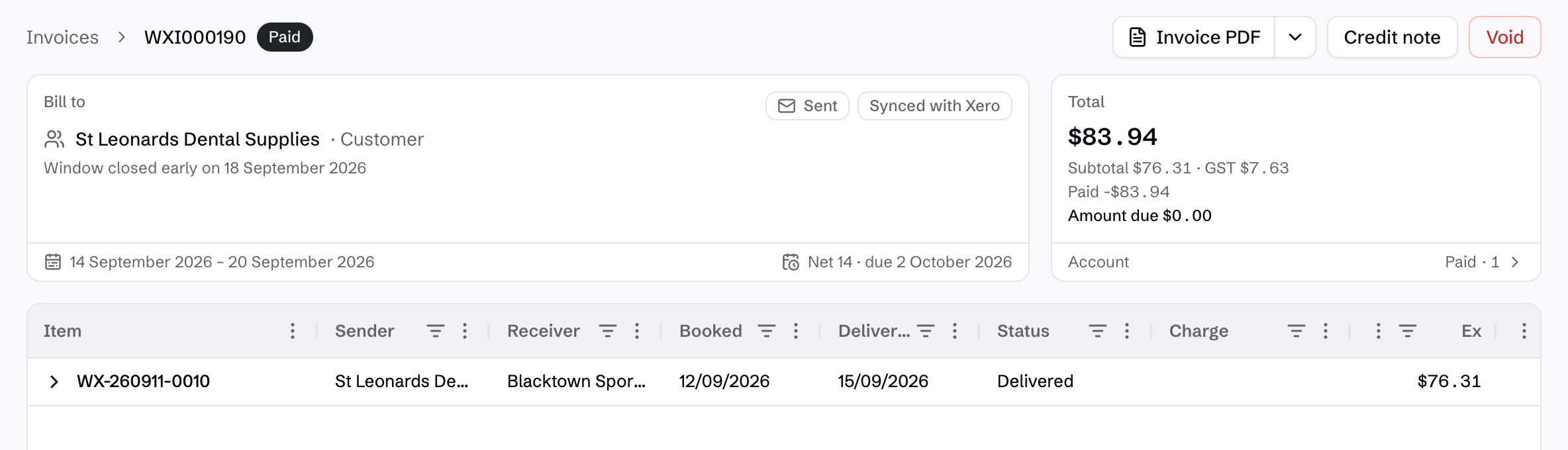
Give customers an invoice they can reconcile.
The invoice PDF includes consignment numbers, sender and receiver details, booking and delivery dates, and customer references. Customers can match each charge to the freight they sent, with ex-GST, GST and total amounts shown separately.
The summary and detailed pricing travel together in the same document. Customers can also open the invoice and its freight detail in their portal.
See customer invoice access →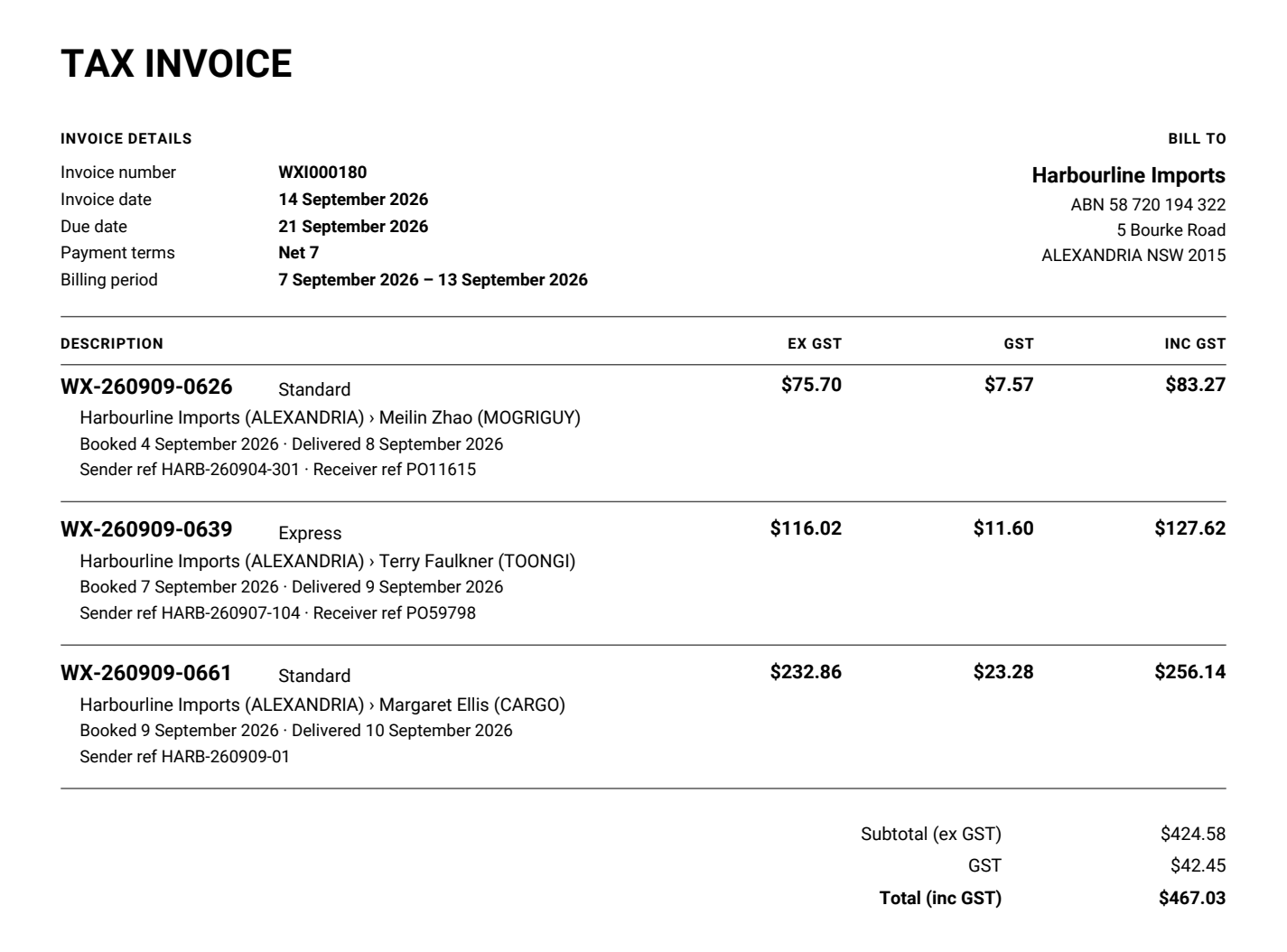
Show how the price adds up.
The pricing appendix separates freight items and rate groups from fuel levies, surcharges and carrier on-charges. Quantities, unit prices and tax amounts make the charge understandable without rebuilding the job in a spreadsheet.
Here, the same consignment's total is broken into satchels, cartons, a carrier on-charge, fuel levy and residential and remote-area charges.
See how rates are configured →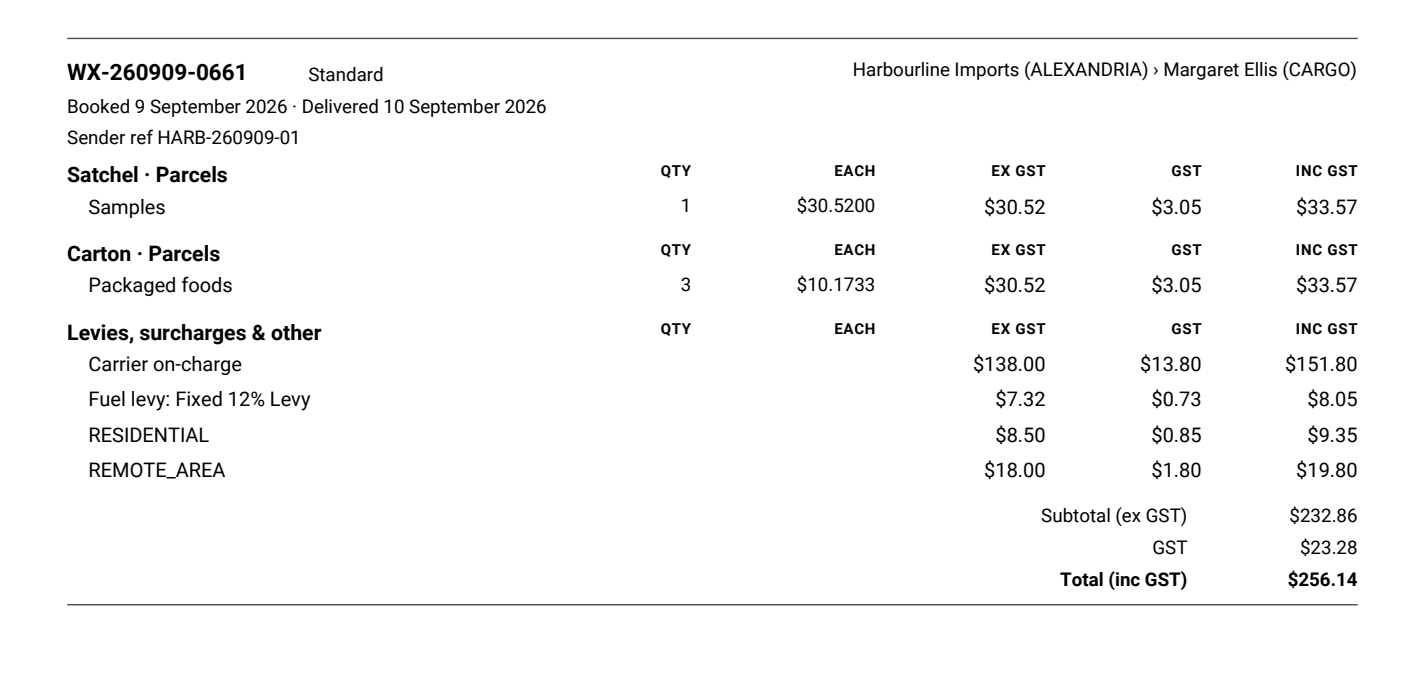
See payments back in Connado.
Send released invoices through your accounting connection. Payments recorded there come back against the right Connado invoice, with their source shown.
Xero is available now. Support for MYOB and QuickBooks is planned.

Choose the detail your accounts team needs.
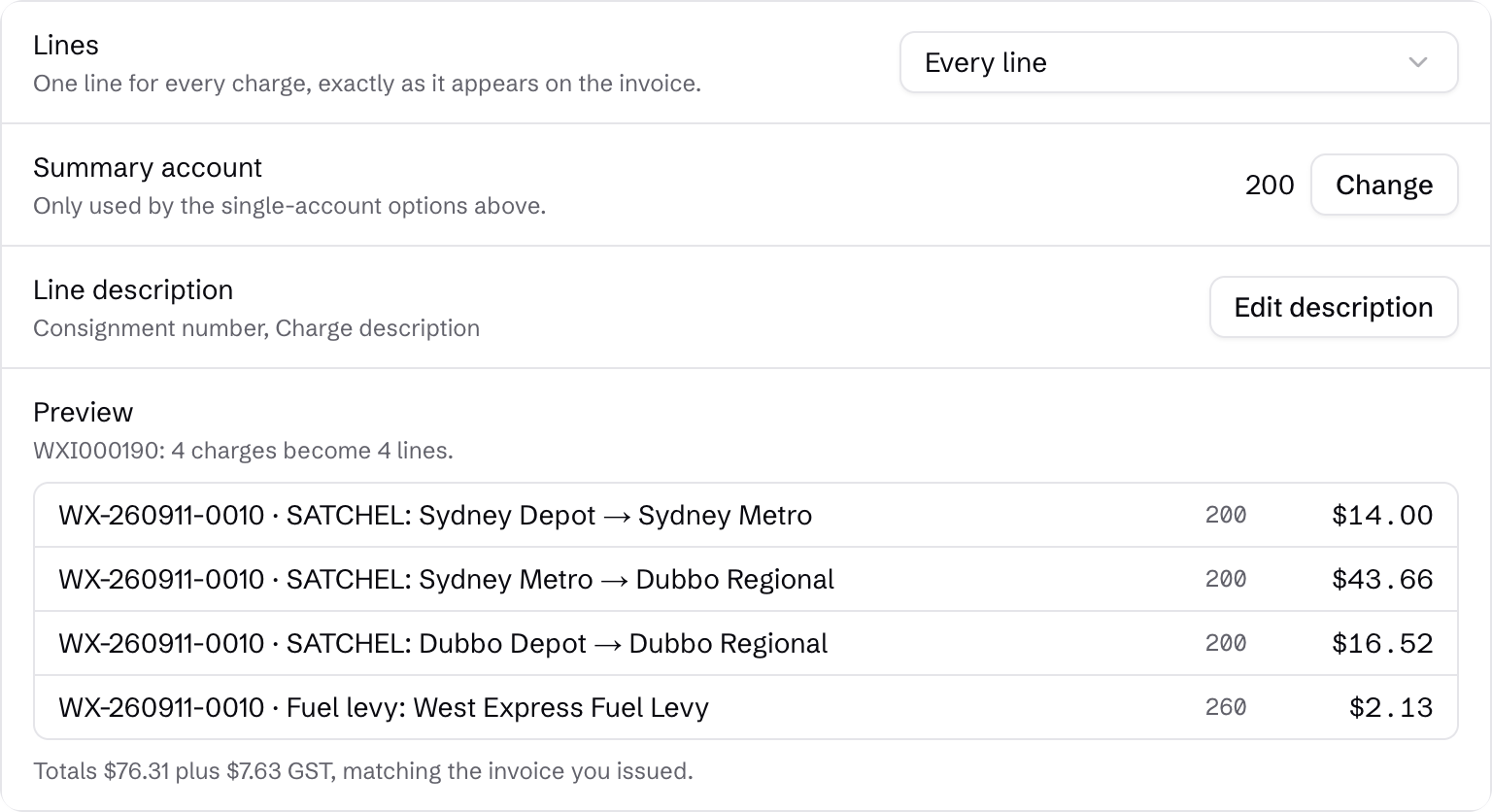
Send every charge, group by consignment or charge type, or post one summary line. Consignment grouping can split across revenue accounts; the single-account options use your nominated summary account.
Build the description from details such as the connote number, charge description or invoice link. Preview the result against an issued invoice before using the setting for future invoices.
Start with the contacts you already have.
Match your customers and partners to existing accounting contacts. Review possible matches before creating another record.
Link contacts and map accounts during setup, so invoices reach the right place.
Plan your setup →