
A connection with clear rules.
Link contacts and map revenue accounts before sending invoices. Preview the result so your accounts team can check what will arrive.
Link and map
Match customers and partners to accounting contacts. Choose the accounts for your charges.
Preview and send
Choose invoice detail and descriptions, then send released invoices across.
Bring payments back
Payments recorded in your accounting software appear against the Connado invoice.
Preview what your accounts team will receive.
Choose every charge line, group by consignment or charge type, or send a summary. Preview descriptions and revenue accounts against an issued invoice before using the setting for future invoices.
See the full invoicing workflow →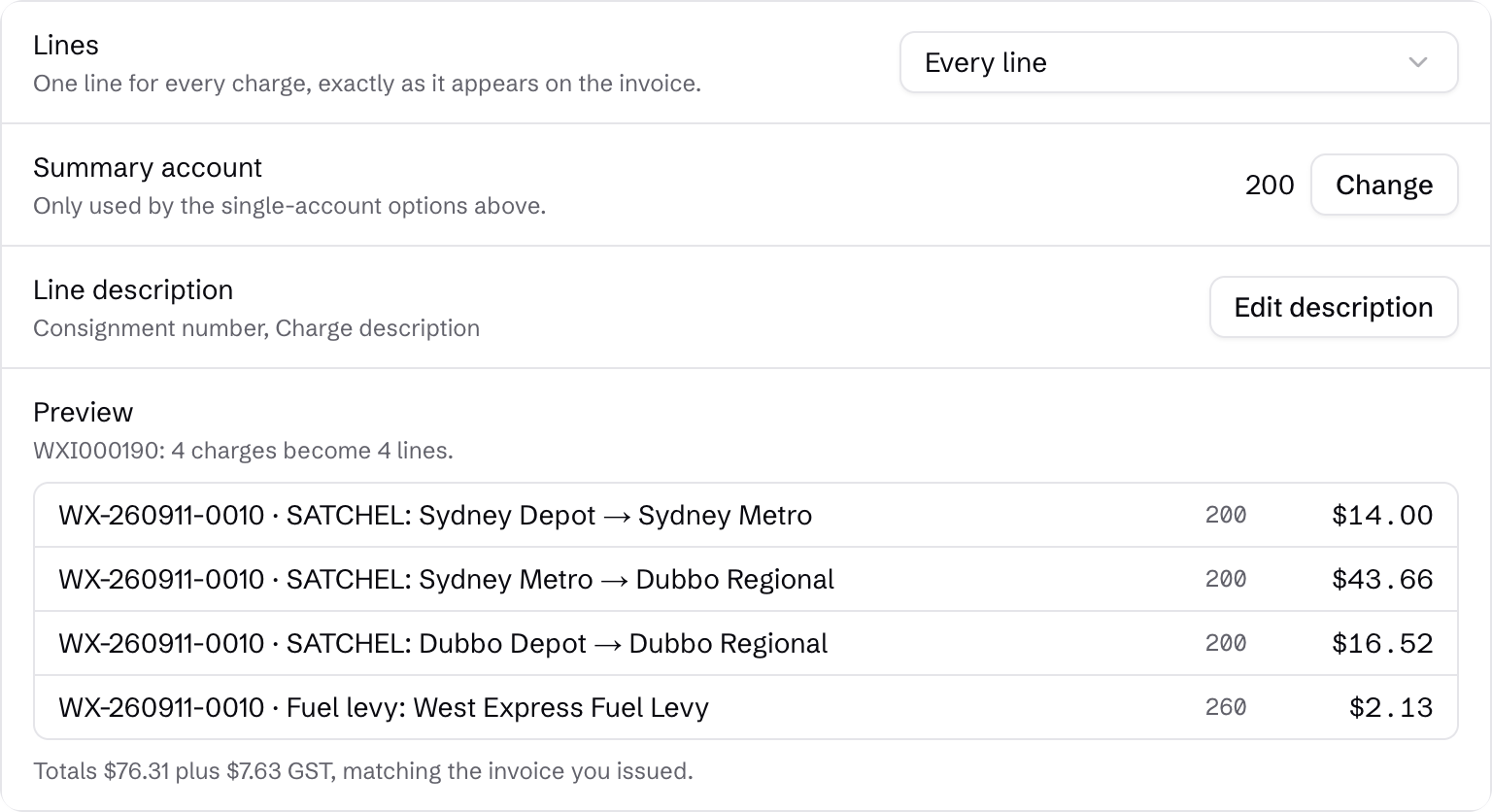
What you can connect.
Available now
Xero supports sending invoices and bringing payments back, with linked contacts and mapped accounts.
Planned connections
MYOB and QuickBooks support, carrier APIs and operator-to-operator connections are planned. Talk with us about the connection you need and confirm availability when planning your move.