
Work through the trip one stop at a time.
Open the trip to see its pickup and delivery stops, the work still outstanding and the stops already completed. Open a stop for the freight that belongs there.
See what is done and what comes next without searching for the job again.
See how the office plans the work →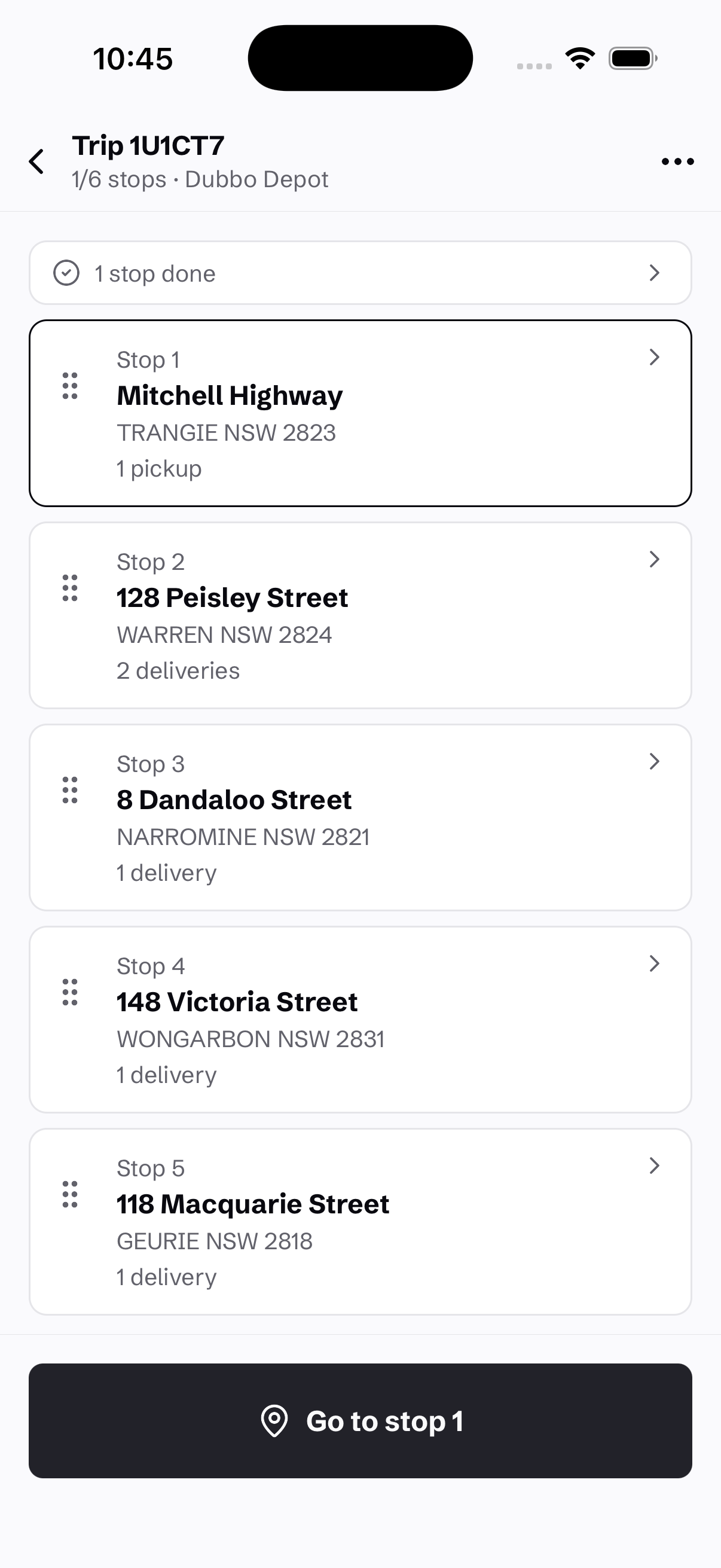
Check the items as you pick them up.
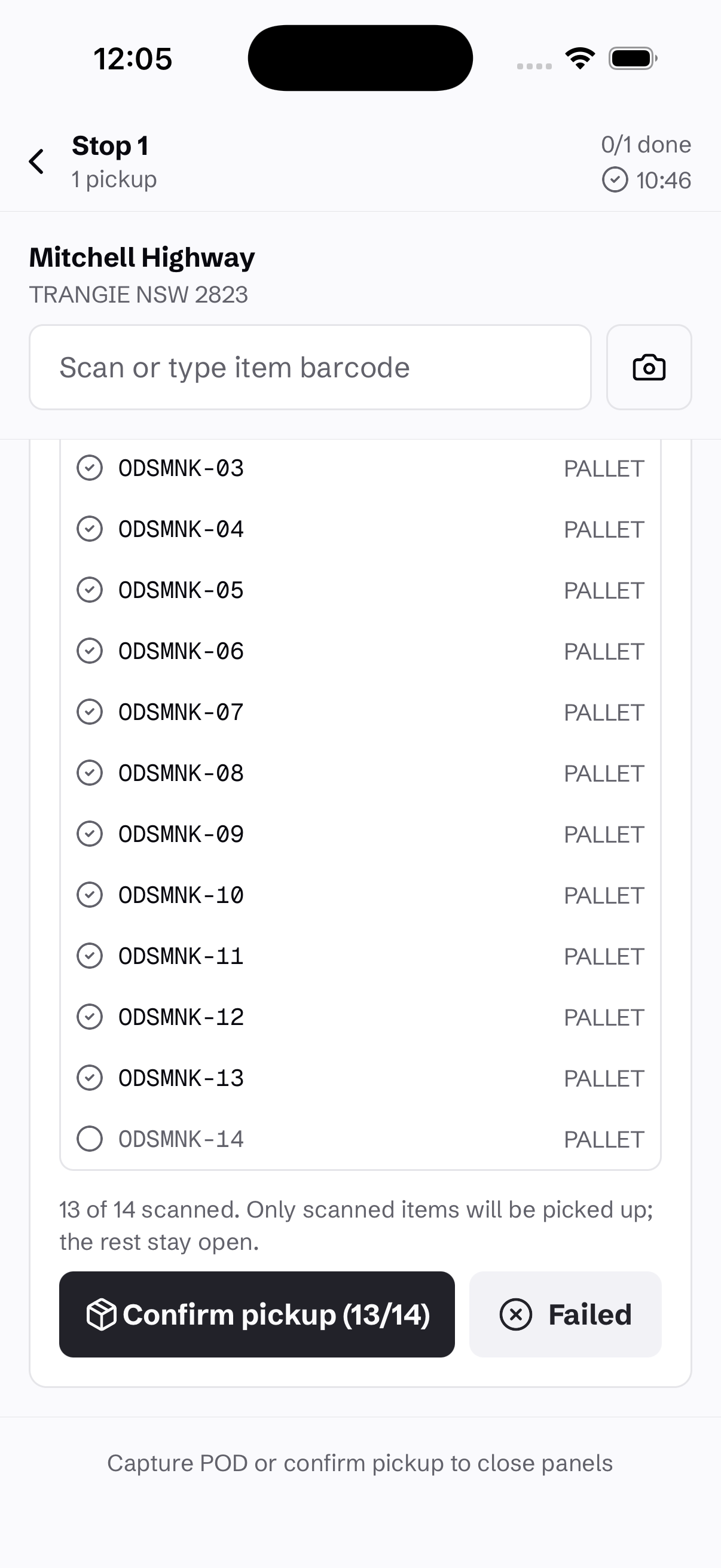
Scan or enter the item barcodes at the stop. Each item is checked individually, and the screen shows how many have been scanned before confirming the pickup.
If only part of the freight is ready, confirm the items you have scanned. The remaining items stay open rather than being recorded as picked up.
Catch a wrong turn at the scan.
Scan an item into the wrong sort location and, with sorting enforcement enabled, Connado blocks the move. The operator sees why it does not belong there and which location to use when one is matched.
Load checks also stop freight that is not ready to move. Other checks can warn or block according to your organisation and facility rules, including scans at an off-route depot.
Set the rules with your operations team. Where an override is permitted, the exception follows the approval process rather than passing unnoticed.
Record the delivery, or why it failed.
Capture proof of delivery when the job is done. If it cannot be completed, record the reason so the office can decide what happens next.
Keep the outcome with the consignment, ready for the office to review and the customer to follow.
See the delivery detail customers receive →Explore courier operations →